
Best ScrapingBee Alternatives in 2026


We compared seven scraping tools, plus our own fully managed service, on what each option does best, how it charges you, and how it handles sites that try to block scrapers. For a bill that is easier to predict, start with Bright Data's Web Unlocker or Oxylabs' Web Scraper API. Both charge per 1,000 successful requests or results, so your cost follows the number of pages you get back. For heavily protected sites, start with Bright Data, ZenRows, or ScraperAPI. Each one lists the specific bot protection systems it handles, so you can check whether your target sites use one of them. For AI-ready output, start with Firecrawl, which returns Markdown and JSON built for LLM applications. If your team mostly wants the data and not the work of running scrapers, start with Ficstar. Our fully managed service collects the data from the sites you name and delivers it to you.
How often a tool gets blocked depends on your specific sites, so the reliable way to compare tools on blocking is to test them yourself. Run the same sample of your real URLs through the free tiers of two or three tools, then compare how many pages came back and what each successful page cost.
At Ficstar, we have run web data collection for enterprise clients since 2005. Many of the teams we work with tried scraping tools, other providers, or in-house scrapers before they came to us, so we have seen which jobs each approach handles well. Teams usually start looking for something else when protected sites keep blocking their requests or when keeping scrapers working takes up too much of their engineers' time.
Why do developers look for ScrapingBee alternatives?
Most developers look for a ScrapingBee alternative because the cost of a page changes with the features that page needs, and that makes the monthly bill hard to predict.
ScrapingBee charges in credits. A plain request costs 1 credit, but JavaScript rendering is on by default and costs 5 credits. The proxy tiers for protected sites cost 10 to 75 credits per request. Two jobs with the same number of pages can use very different amounts of credit.
ScrapingBee's higher credit tiers are for protected sites that block basic requests. When a site blocks a request on ScrapingBee, the next step is a premium or stealth proxy. A premium proxy request with JavaScript rendering costs 25 credits, and a stealth proxy request costs 75 credits. The default request with JavaScript rendering costs 5 credits, so those proxy requests cost 5 to 15 times the default. A job with many protected sites can use several times as many credits as the same number of unprotected pages.
Concurrency is another common reason. ScrapingBee's entry-level Hobby plan allows 25 requests to run at the same time. If a large job needs more requests running in parallel to finish on schedule, you need a bigger plan.
Output is the last reason we hear often. ScrapingBee can return HTML, Markdown, plain text, screenshots, or JSON. To get JSON, you write CSS or XPath extraction rules or use its AI extraction feature. Teams that want structured data without keeping their own extraction rules up to date often compare tools that return parsed JSON for common sites.
How does ScrapingBee's credit system work?
ScrapingBee charges a set number of credits for each request, based on the rendering and proxy options the request uses. You pay only for successful requests, which ScrapingBee defines as responses with an HTTP 200, 404, or 410 status, according to its pricing page.
Request type | Credits per request |
Basic request, no JavaScript rendering | 1 |
JavaScript rendering (on by default) | 5 |
Premium proxy, no JavaScript rendering | 10 |
Premium proxy with JavaScript rendering | 25 |
Stealth proxy (requires JavaScript rendering) | 75 |
ScrapingBee also has an auto mode, which tries a request at different credit tiers until one works. You pay only for the tier that succeeds, from 1 to 75 credits, as its documentation explains.

The credit tiers make a large difference to a budget. For example, say your team needs 100,000 pages a month. At the default setting with JavaScript rendering, those pages use 500,000 credits. If the same pages need the stealth proxy, they use 7.5 million credits.
How do the top ScrapingBee alternatives compare?

The biggest difference between the seven scraping tools is the unit they charge in: credits, successful requests, successful results, or compute time. The unit a tool charges in decides how your cost grows as you add pages and harder sites. All seven tools render JavaScript. Ficstar appears in the last row as a different kind of option. We are a fully managed service, so our team collects the data and delivers it to you instead of giving you an API to run.
Tool | How it charges | Charged for failed requests? | Best for |
ScraperAPI | API credits; cost varies by target site and features | No, but bills 404s and early cancellations | High-volume e-commerce and market research collection |
ZenRows | Credits from a monthly allowance | No, but it counts 404 and 410 responses as usable results and bills them | Recurring jobs on protected, dynamic sites |
Bright Data (Web Unlocker) | Per 1,000 successful requests | No; you pay only for successful requests | Getting past bot protection without running proxies |
Oxylabs (Web Scraper API) | Per 1,000 successful results | No; you pay only for successful results | E-commerce, search result, and real estate collection |
Apify | Compute units, plus storage, proxy, and data transfer | Compute time is billed whether requests succeed or not | Ready-made scrapers for common sites, or custom ones |
ScrapFly | API credits; cost depends on settings used | No; failed requests are not charged | Five scraping APIs from one provider on one bill |
Firecrawl | Credits; a basic scrape is 1 credit per page | Partly; 403 and 404 pages cost 1 credit each | Feeding web content into LLM apps and AI agents |
Ficstar (fully managed service, not an API) | Custom quote per project, based on your requirements | No per-request billing; our team handles blocks and retries | Enterprise teams that want ready-to-use data on a schedule |
The 8 best ScrapingBee alternatives
1. ScraperAPI
ScraperAPI is a scraping API that handles proxies, JavaScript rendering, and bot protection for each request. It fits teams that collect from a large number of e-commerce and market research sources. Its cost per request depends on the site you scrape. An Amazon page costs 5 credits and a Google or Bing page costs 25 credits before any add-ons, according to ScraperAPI's credit documentation. Build your estimate from the domains you actually scrape. JavaScript rendering adds 10 credits per request. Its anti-bot bypass, which handles Cloudflare, DataDome, PerimeterX, and similar systems, also adds 10 credits. ScraperAPI bills 200 and 404 responses. It also bills requests you cancel before its 70-second completion window. Other failed requests are free. It returns HTML or JSON.
2. ZenRows
ZenRows fits teams that run recurring jobs on protected sites, including dynamic pages that need clicks or forms in a browser session. It charges nothing for failed attempts, according to its pricing page. It does count 404 and 410 responses as usable results, so those responses use credits. Its monthly credit allowance runs from 5,000 credits on the free plan to unlimited credits on Enterprise. ZenRows renders JavaScript through its Browser Sessions feature. It also handles anti-bot systems, CAPTCHAs, and fingerprint checks. Along with HTML, JSON, and screenshots, it returns Markdown, so you can use one tool for both protected sites and an AI pipeline.
3. Bright Data (Web Unlocker)
Bright Data's Web Unlocker is an API that handles proxy rotation, CAPTCHA solving, and anti-bot bypass in a single request. It fits teams whose main problem is getting blocked. Its product page names the protection systems it handles, including Cloudflare Turnstile, DataDome, PerimeterX, Akamai Bot Manager, Kasada, reCAPTCHA, and hCaptcha, plus more than 25 others. It bills per 1,000 successful requests, so your cost follows the pages that are delivered to you. Its built-in browser detects when a page needs JavaScript and renders it. Output can be HTML, JSON, Markdown, or screenshots.
4. Oxylabs (Web Scraper API)
Oxylabs' Web Scraper API fits e-commerce, search result, and real estate collection. It bills per 1,000 successful results, according to its product page. JavaScript rendering is priced as a separate tier. Count how many of your pages need rendering before you estimate the bill. The API includes built-in CAPTCHA handling and proxy management. It returns raw HTML or structured JSON. Oxylabs' company group acquired ScrapingBee in January 2026. According to ScrapingBee's announcement, ScrapingBee stays a separate product, and your current ScrapingBee subscription plan stays the same.
5. Apify
Apify fits teams that want a ready-made scraper for a common site, or a place to run their own. Its marketplace has more than 73,000 Actors, which are ready-made scraping and automation tools. It bills by compute time, not by page, according to its pricing page. One compute unit is 1 GB of memory used for one hour. Storage, proxy, and data transfer are charged on top of compute. You pay for the compute time a run uses whether or not each request succeeds. A slow or memory-heavy run costs more than a fast one. How well a job handles protected sites depends on which Actor you pick. Apify's own Website Content Crawler renders JavaScript in a browser. To get past blocks, it uses browser fingerprinting, proxies, and retries. It exports text, Markdown, HTML, JSON, CSV, or XML.
6. ScrapFly
ScrapFly fits teams that want scraping, browser automation, crawling, extraction, and screenshots from one provider on one bill. Its Unblocker, which manages the browser, proxies, and retries for you, is a single setting on every plan. JavaScript rendering is also available on every plan. Failed requests are never charged, according to its pricing page. The cost of each request changes with the settings you turn on, so run a test with the settings your sites need to see what each request costs. Output can be HTML, JSON, or screenshots.
7. Firecrawl
Firecrawl is an API that turns web pages into clean data for AI agents and developers. It fits teams feeding web content into LLM applications and AI agents. Most basic pages cost 1 credit. Its enhanced proxy for harder sites costs the same 1 credit per request as its basic proxy. On protected sites, some blocked pages will still cost you credits. A page that comes back with a 403 error, which usually means the site blocked the request, costs 1 credit. A 404 page also costs 1 credit, according to its pricing page. A scrape that returns nothing is free. Firecrawl renders JavaScript with headless browsers and returns Markdown and JSON.
8. Ficstar (fully managed web scraping service)
Ficstar is a fully managed web scraping service, which is a different kind of option from the seven scraping tools in this list. Each of the seven tools gives your team an API to run and a usage bill to track. With Ficstar, you tell us which public websites and data fields you need, and we deliver the finished data on a schedule.
Our team builds the crawlers, runs them, and delivers ready-to-use data in the format your systems take, such as CSV, Excel, JSON, or XML. When a site changes its layout or adds bot protection, we update the crawlers so your deliveries keep arriving. On complex projects, each file goes through more than 50 quality checks before it reaches you. You can read more about how our fully managed web scraping service works.
We have done this work since 2005 for more than 200 enterprise customers. Projects range from 10 to more than 10,000 websites per client. We process over 1 billion product prices every month. We also offer a 100% satisfaction guarantee: if the data does not meet the requirements we agreed on, we keep working on it until it does.
We are a premium option. Enterprise projects typically start around $5,000 monthly. We quote each project after we understand your sources, volume, and schedule. Because the quote covers the whole job, you budget for one agreed price instead of tracking credits across sites. Our free trial is real data collection from the sites you name, so you can check the actual data before you commit.
Can you replace ScrapingBee with just proxies?

You can replace ScrapingBee with proxies alone, but your team takes over the work the API was doing on every request. A scraping API covers several jobs inside each credit: it renders JavaScript, retries failed requests, gets past blocks, and in many cases parses the page. With proxies alone, you pay for access to IP addresses, and you build and run everything else. Because you buy only IP access, the proxy bill itself can be smaller than a scraping API bill.
Here is the work your team takes on with proxies alone:
JavaScript rendering: running and scaling headless browsers for pages that load their content with JavaScript.
Retries: spotting failed or blocked responses and sending them again through a new IP address.
Block handling: dealing with CAPTCHAs and fingerprint checks, and choosing the right proxy type (residential, datacenter, or mobile) for each site.
Parsing: turning HTML into fields, and fixing the parser every time a page layout changes.
Proxies alone make the most sense when your target sites are lightly protected and your team already runs browser infrastructure. For protected sites, compare the API bill against the engineering hours the proxy route would need before you decide which one is cheaper.
What does a scraping API cost once you count your team's time?
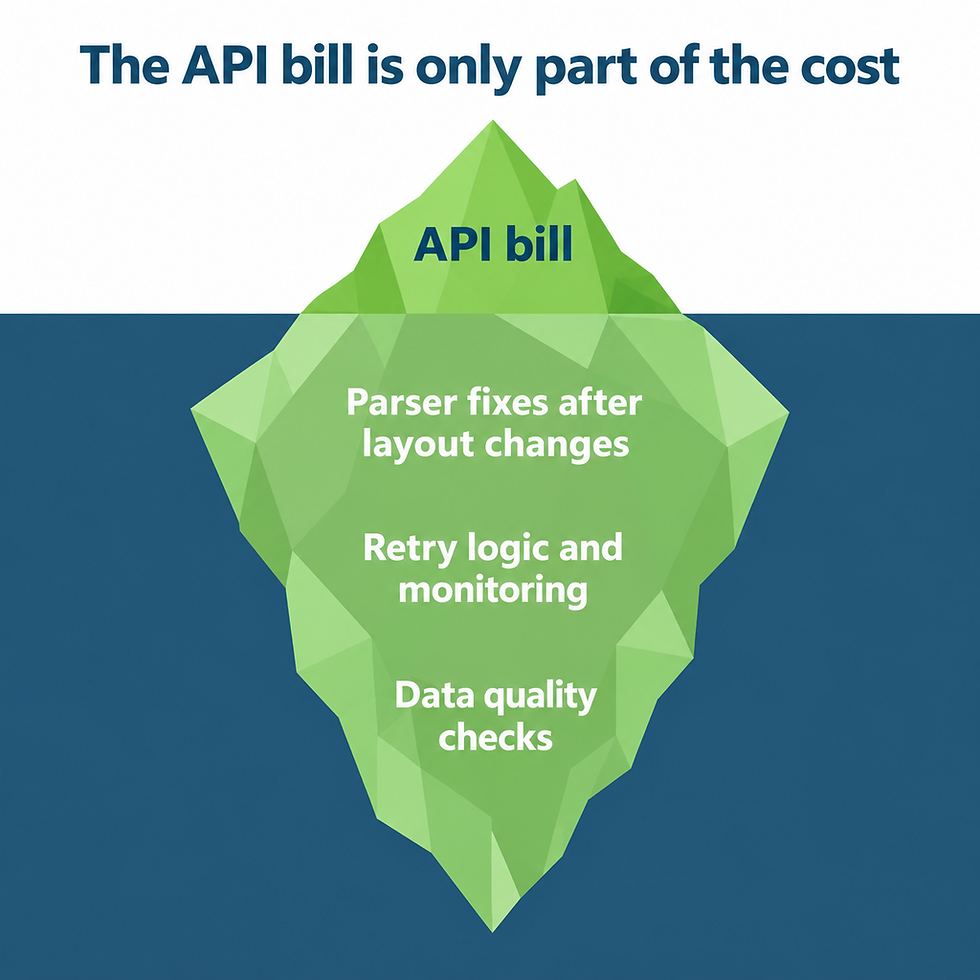
The API bill is only part of what scraping costs, because your team still spends time keeping the scrapers working. When a site changes its layout, the parser that pulled prices or product names stops finding them, and someone has to rewrite it. Requests that fail or come back blocked need retry logic and someone watching for them. Before anyone uses the data, someone also has to check it for missing fields, duplicates, and values that don't make sense.
When you compare alternatives, add an estimate of those hours to each tool's price. We explain the full set of cost factors in our guide to how much web scraping costs.
How to choose a ScrapingBee alternative
Choose by matching the tool to your biggest problem, then confirm the choice with a test on your own sites. Each question here points to the tools to test first:
Is a predictable bill your top priority? Test Bright Data's Web Unlocker and Oxylabs' Web Scraper API first. Both bill per 1,000 successful requests or results, so the cost follows the pages you get back. Three other tools are harder to budget before a test. ScraperAPI's credits change with the target site and the features you turn on. ScrapFly's credits change with the settings on each request. Apify bills by compute time. Run a test on your real URLs before you budget for ScraperAPI, ScrapFly, or Apify.
Are your target sites heavily protected? Test Bright Data's Web Unlocker, ZenRows, and ScraperAPI with anti-bot bypass turned on. Each one lists the protection systems it handles, such as Cloudflare, DataDome, and PerimeterX, so you can check that list against the protection your target sites use.
Do you need AI-ready output? Test Firecrawl first, because it returns Markdown and JSON built for LLM applications. Apify's Website Content Crawler, ZenRows, and Bright Data also return Markdown. If your pipeline already parses HTML, any tool on the list returns it.
How often will each tool get blocked on your sites? Only a test on your own sites can answer this. Run the same sample of your real URLs through two or three free tiers, then compare how many pages came back and what each successful page cost. Include your hardest sites in the sample, because those sites decide which pricing tier or add-on you end up paying for.
How many pages do you need each month? Multiply your monthly page count by each tool's cost per page at the settings your sites need. An add-on that applies to every page changes the total a lot. For example, ScraperAPI's 10-credit JavaScript rendering add-on adds 1 million credits to a month of 100,000 pages.
How much time does your team have? If nobody on your team has time to fix parsers, monitor failures, and check data quality, a fully managed service may fit better than any API.
Frequently asked questions
What is the best ScrapingBee alternative for AI applications?
Firecrawl is the closest fit for most AI applications, because it is built to turn web pages into Markdown and JSON for AI agents and LLM applications. Apify's Website Content Crawler is another option, and Apify built it to feed AI models, vector databases, and RAG pipelines. ZenRows and Bright Data's Web Unlocker also return Markdown, so they work for AI pipelines too. If your team would rather receive the data already collected and cleaned, we also provide data for AI projects.
Are there free ScrapingBee alternatives?
Yes, all seven scraping tools offer a free tier or a free trial. None of them asks for a credit card to start. Here is what each one includes for free:
ScraperAPI: 1,000 free credits with up to 5 concurrent connections, plus a separate 7-day trial with 5,000 credits.
ZenRows: 5,000 credits a month on its free plan.
Bright Data Web Unlocker: 5,000 requests a month.
Oxylabs Web Scraper API: a trial of up to 2,000 results.
Apify: a free plan with a monthly platform credit that doesn't roll over.
ScrapFly: 1,000 credits at signup, with no time limit.
Firecrawl: 1,000 credits a month.
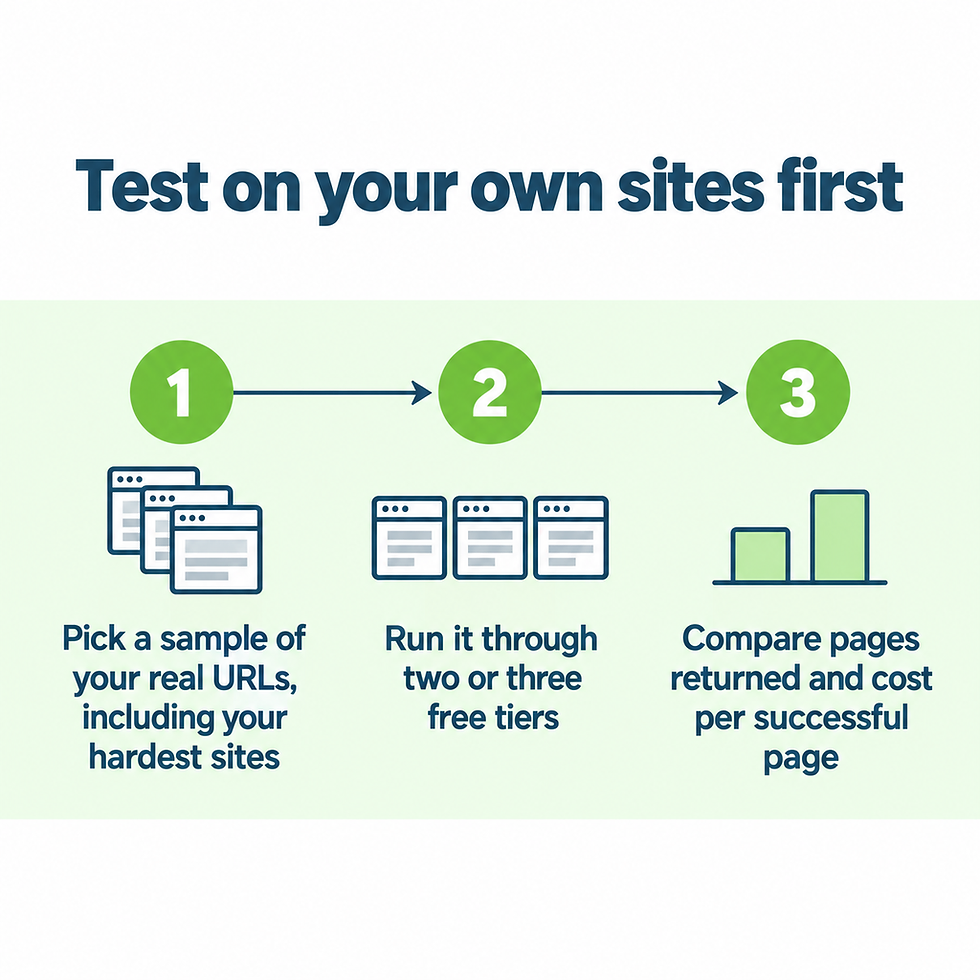
The best use of a free tier is to run the same set of your real URLs through two or three tools, then compare how many pages succeeded and how many credits each tool used.
How does ScrapingBee compare to ScraperAPI?
The main difference between ScrapingBee and ScraperAPI is how each one raises the cost of a request. ScrapingBee raises the cost by feature: JavaScript rendering costs 5 credits, a premium proxy costs 10 to 25, and a stealth proxy costs 75. ScraperAPI raises the cost partly by target site, such as 5 credits for Amazon and 25 for Google or Bing, and then adds 10 credits each for JavaScript rendering and anti-bot bypass. Their rules for failed requests are similar but not the same. ScrapingBee bills only 200, 404, and 410 responses.
ScraperAPI bills 200 and 404 responses, and it also bills requests you cancel before its 70-second completion window. A credit buys different things on each service, so the fair comparison is to run your own URLs through both free tiers.
Do ScrapingBee alternatives handle JavaScript and CAPTCHAs?
Yes, all seven scraping tools render JavaScript. Each one also has a way to handle protected sites. On some of the tools, rendering and unblocking add credits to each request. On Apify, how a job handles protected sites depends on which Actor you run.
When should you not switch from ScrapingBee?
Staying with ScrapingBee makes sense when most of your pages succeed at the lower credit tiers and your volume fits your plan. Its auto mode charges only for the tier that succeeds, so pages that work with a basic request stay at 1 credit. Switching also takes engineering time, because your team has to change the integration and retest every target site. If your main concern is concurrency or a handful of hard sites, test those sites on an alternative's free tier before you move everything.
Start with a free trial of real data
If your team would rather receive the data than keep scrapers running, we would be glad to show you what that looks like on your own sources. Our free trial collects real data from the websites you name, so you can judge the quality and the delivery format before you make any decision.


Comments